Secrets you keep,
not secrets you trust.
One zero-knowledge vault for the credentials you'd otherwise scatter across .ssh, kubeconfig, Talos config, and someone's Notion page. The server stores ciphertext and signed events only. Sharing membership rotates per-scope keys atomically. Configured witnesses can detect server-side forks.
macOS and Linux · signed and notarized · no telemetry · what the app does →
$ fd0 sync
→ POST /v1/sync  scope=work  push=3
← 200 OK  pull=0  sth=verified@43
✓ chain advanced (seq=7)
✓ STH verified

$ fd0 secret get DEPLOY_KEY
ghp_xxxxxxxxxxxxxxxxxxxx
One vault for every kind of credential.
Every record type shares the same scopes, the same version history and the same ciphertext-only contract. Sharing a kubeconfig is the same operation as sharing a password — add someone to the scope.
Usernames, passwords, TOTP, passkeys stored as data, and small file attachments.
Keys generated inside the agent, a host inventory, terminal sessions, and two-way file transfer.
Kubeconfigs and Talos contexts, handed out per scope instead of copied around.
Opaque values — deploy tokens, connection strings, licence keys, API keys.
A password manager that shares the same scopes.
A pass item is a title, a set of URLs, a note, and typed fields: text, secret, totp, passkey, file, and section to group them. It stores like every other fd0 record.
$ fd0 pass add github \
    --url https://github.com \
    --scope work

✓ pass item created
$ fd0 pass field set github \
    username ada@example.com
$ fd0 pass field set github \
    password --secret --generate
$ fd0 pass totp add github \
    "otpauth://totp/GitHub:ada?..."
$ fd0 pass
$ fd0 pass copy github
$ fd0 pass totp code github
$ fd0 pass show github
$ fd0 pass section add github Recovery
$ fd0 pass file add github ~/backup.pem
Small files are attached as fields and come back with fd0 pass file export. Sections give an item structure without a second record.
$ fd0 pass history show github
$ fd0 pass history restore github 3
Restore writes forward: it appends a new version carrying the old content, so an undo is itself auditable. The same two commands work on secrets, keys, hosts, kubeconfigs, and Talos contexts.
SSH keys, hosts, terminals, and files.
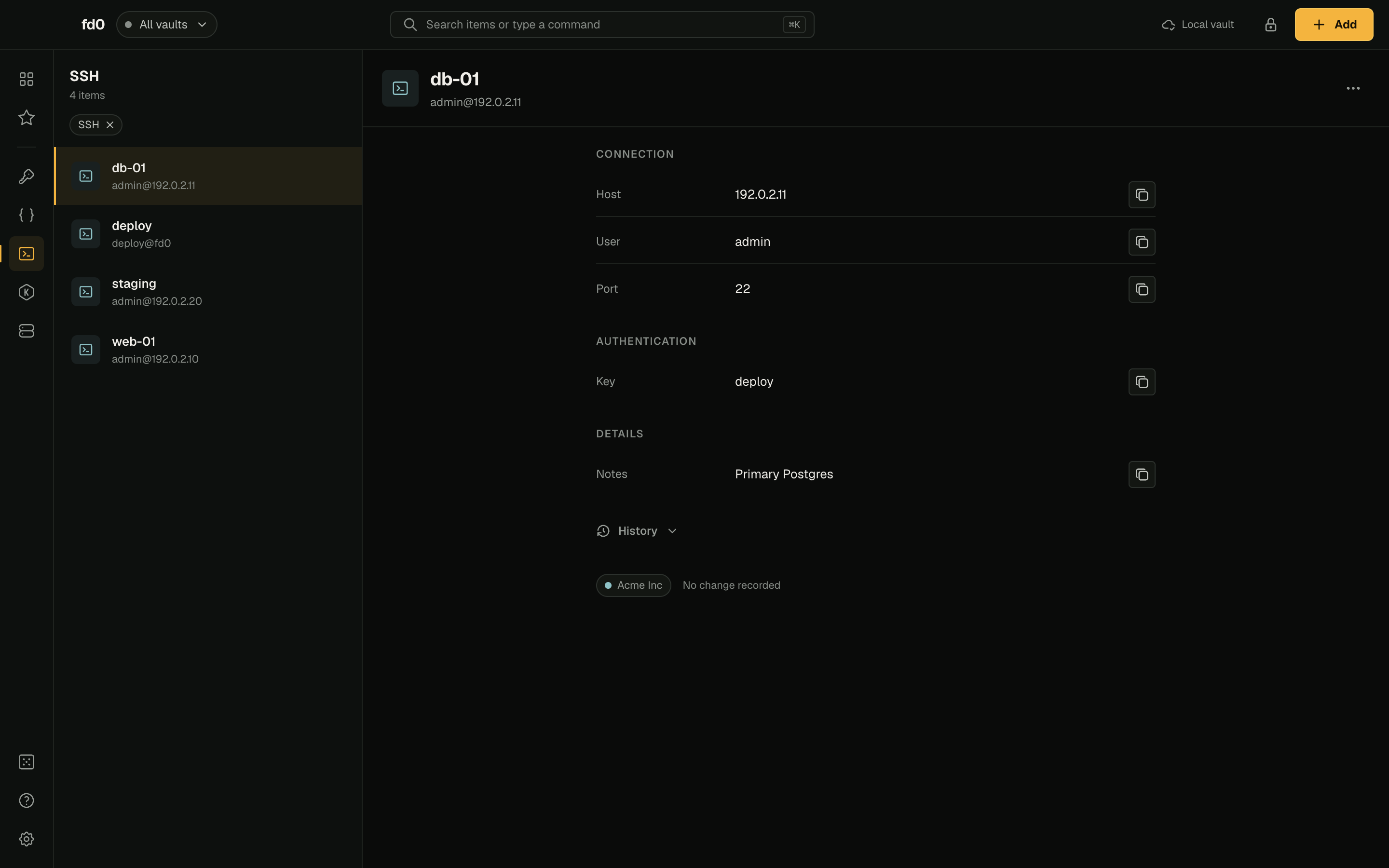
Keys are generated inside fd0-agent and served via the standard ssh-agent protocol. Hosts are structured entries that render to a regular ~/.ssh/fd0.conf you Include from your own config. Native SSH features (jump hosts, agent forwarding, port forwarding) all work because we are just an agent. The same host record also opens an fd0 terminal or an SFTP Files window.
$ fd0 key add laptop
✓ ed25519 (scope: personal)

ssh-ed25519 AAAAC3NzaC1lZD…
laptop@fd0
$ fd0 ssh add prod-db \
    app@db.internal \
    --jump bastion \
    --key laptop \
    --scope work

✓ host added
✓ ~/.ssh/fd0.conf rendered
$ fd0 ssh prod-db
$ fd0 sftp prod-db
$ fd0 sftp cp prod-db \
    ./release.tar \
    remote:/tmp/release.tar
$ fd0 scope add-member bob --scope work
$ fd0 sync
Bob's next sync gives him the key, the host, and the tags. fd0 scope remove-member rotates the per-scope key — his next sync drops access.
fd0-agent talks the same protocol as OpenSSH ssh-agent. ssh, git, scp, rsync, VS Code Remote — anything that respects SSH_AUTH_SOCK works. fd0 never writes anything to the remote server.
$ fd0 sftp tree prod-db /srv/app --depth 2
Desktop and CLI reuse the exact fd0-rendered OpenSSH configuration: assigned key, jump host, options, and strict host verification. Transfers show progress and can be cancelled.
Built into the protocol, not the deployment.
Every secret is sealed by the client before it leaves the device. The server stores ciphertext and signed event metadata — an operator with full database access reads no secret values or secret names.
Each scope has its own key. Adding a member wraps the key to their card; removing one rotates it. Cryptographic, not policy-enforced.
The server signs every tree head. With configured witnesses or clients comparing notes, divergent histories become publishable evidence.
Six components. Keys stay on your device.
The CLI, the desktop app, and the agent run locally. After unlock, private key material stays in the agent and is never written to disk in plaintext — fd0 Desktop reads it through the same agent, not around it. Standard tools (ssh, git, scp) attach through the ssh-agent socket. The server holds ciphertext and signed events; the witness holds signed tree heads. Neither holds secret keys.
The six shipped components are fd0, fd0-agent, fd0 Desktop, fd0-server, fd0-witness, and this site. The diagram below shows where each one sits.
consumers           your device           server                  observer
┌────────────────┐  ┌─────────────────┐   ┌────────────────────┐   ┌────────────────────┐
│ ssh, scp,      │  │ fd0  (CLI)      │   │ fd0-server         │   │ fd0-witness        │
│ git, rsync,    │ ─│ fd0-agent       │ ─▶│ ciphertext +       │ ─▶│ cosigns verified   │
│ kubectl …      │ ◀│   unlocked keys │   │ signed events      │ ✓ │ archives forks     │
│                │  │   vault.enc     │   │                    │   │ independent host   │
└────────────────┘  └─────────────────┘   └────────────────────┘   └────────────────────┘
   ssh-agent         single primary (api.fd0.sh) · DR backup mirrors it read-only
   protocol
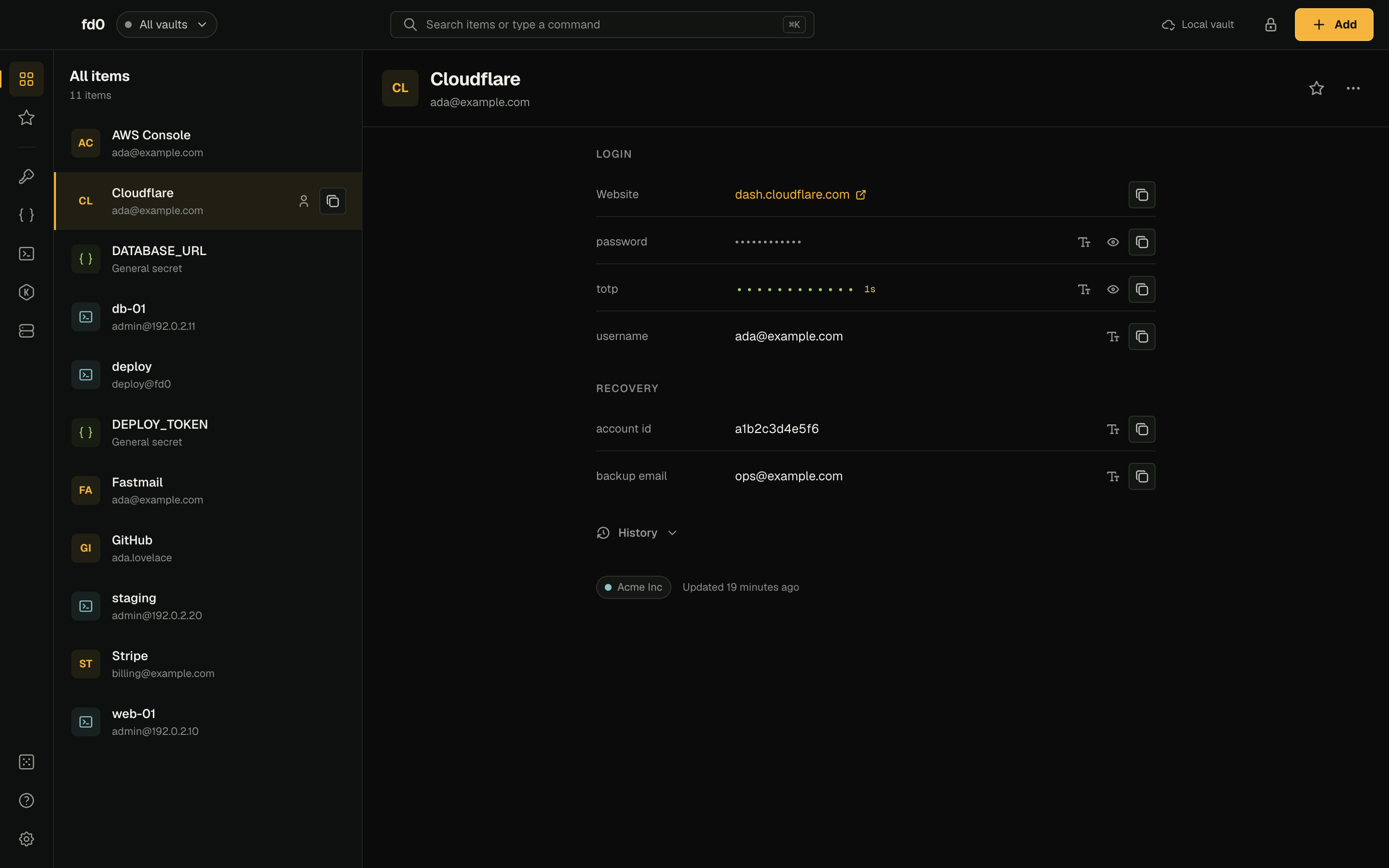
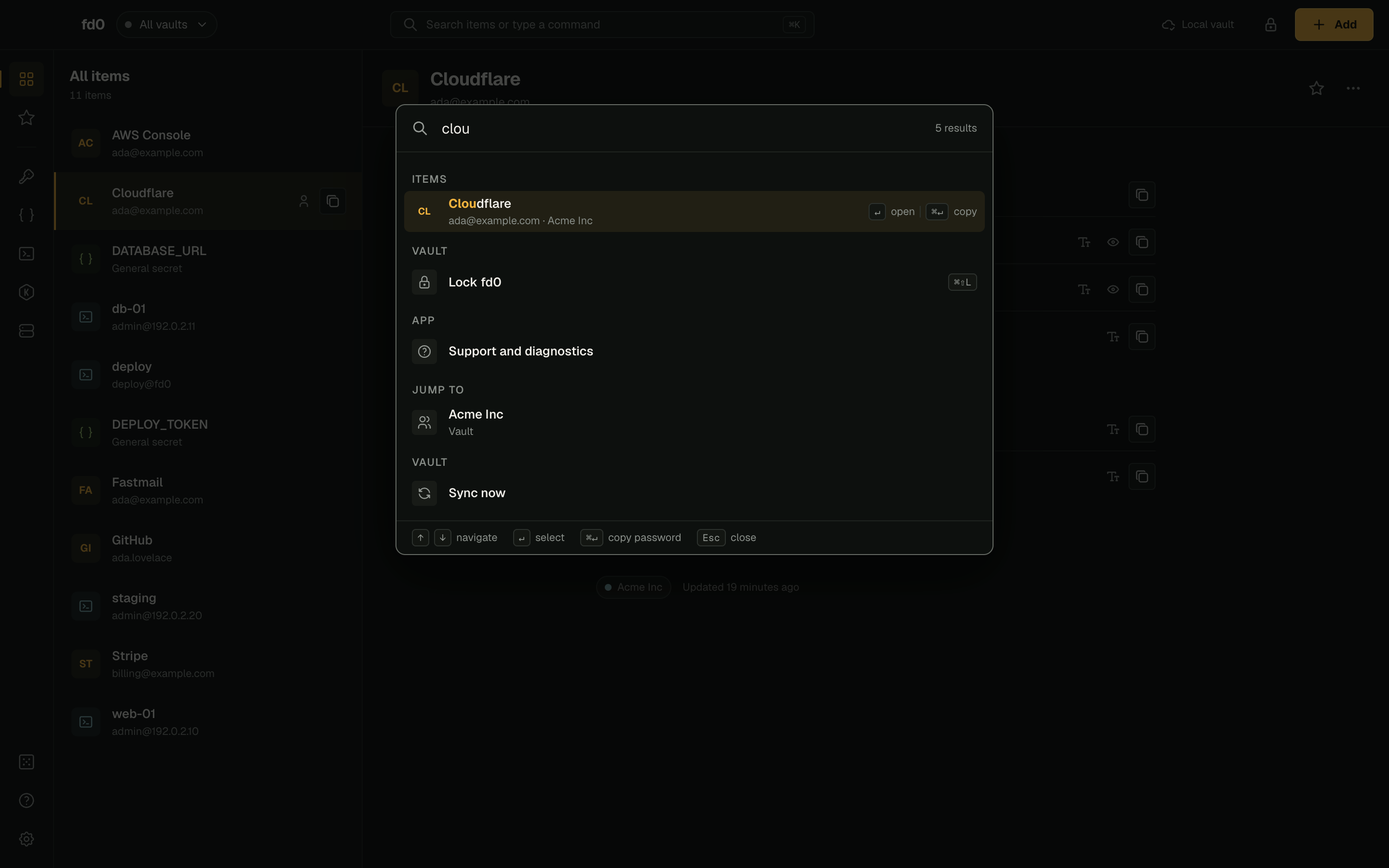
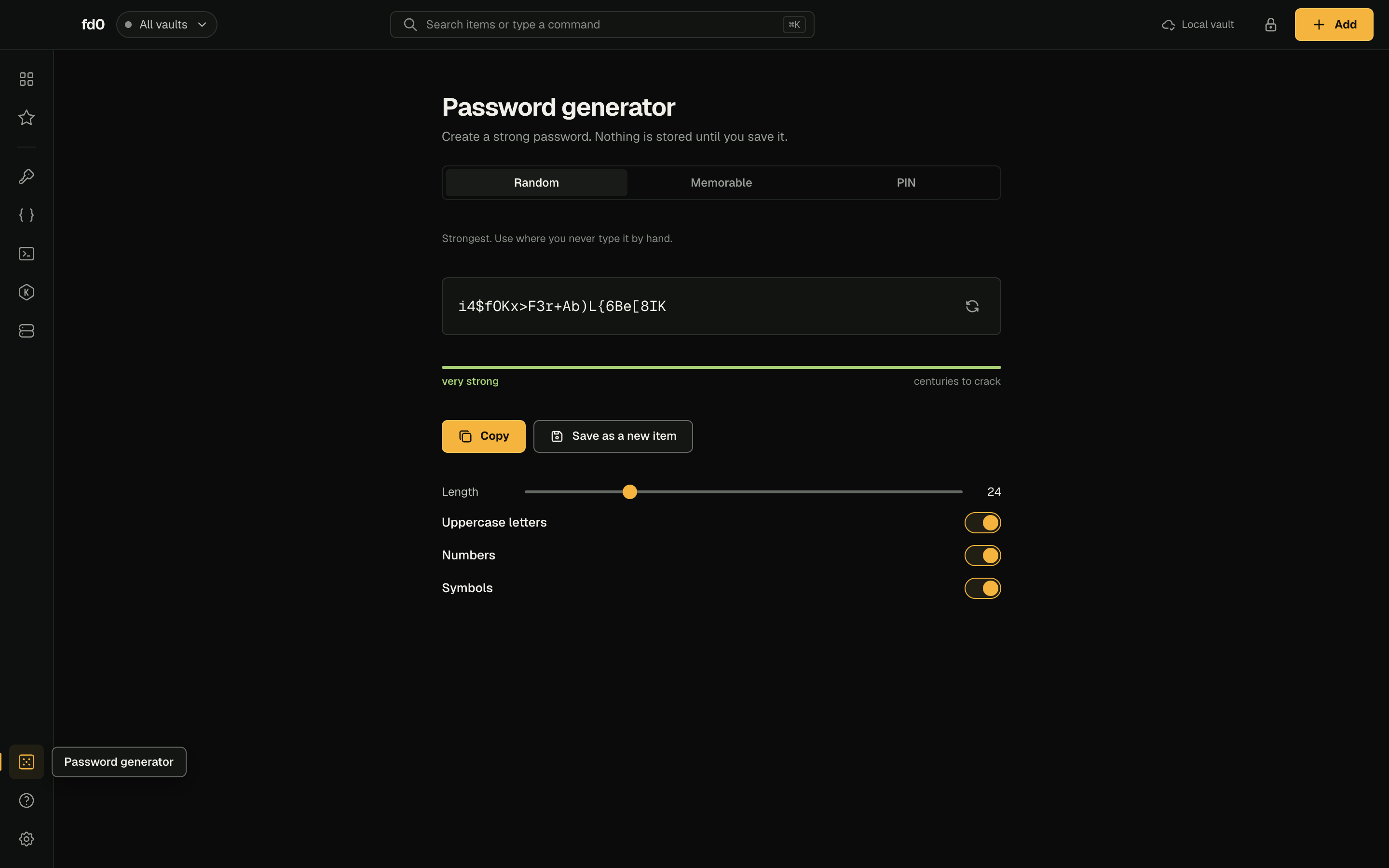
The whole vault, in one window.
Logins, secrets, SSH hosts, keys and clusters share one searchable list, each with its scope, its version history and a restore. The app talks to the same local agent as the CLI, so private key material never reaches the window you are looking at.
Same shape, different trust model.
Install the client. Pick a backend.
Same client either way. The main difference is who runs the server. Client-side encryption and scope membership work the same; witness enforcement depends on your client config.
curl -fsSL https://fd0.sh/install | sh
Download the minimal compose file, run one fd0-server on localhost, and put your own TLS terminator in front. Pin image tags for production.
mkdir fd0-server && cd fd0-server
curl -fsSLO https://fd0.sh/files/compose.yml
umask 077
printf 'METRICS_TOKEN=%s\n' "$(openssl rand -hex 32)" > .env
case "$(uname -m)" in arm64|aarch64) printf 'FD0_SERVER_IMAGE=%s\n' 'ghcr.io/valentinkolb/fd0-server:latest-arm64' >> .env ;; esac
docker compose up -d
A managed primary plus a disaster-recovery backup operated by Kolb Antik GmbH in Germany. Same ciphertext-only contract: the operator cannot decrypt secrets.
# ~/.fd0/config.toml — this is the default
[sync]
server    = "https://api.fd0.sh"
on_unlock = true
Four steps.
fd0 init writes a fresh Ed25519 keypair to ~/.fd0/vault.enc, sealed under a passphrase. The passphrase only protects the file at rest — it never reaches the server.
$ fd0 init
Choose a passphrase: ********
✓ identity created (upIamMlsgn…)
✓ vault written to ~/.fd0/vault.enc
The agent holds the unlocked identity in memory. The CLI signs and decrypts through it without re-prompting until you run fd0 lock.
$ fd0 unlock
Passphrase: ********
✓ agent started
✓ vault unlocked (passphrase)
A scope is a group of secrets with its own encryption key. Adding or removing members rotates that key.
$ fd0 scope create --label work
$ fd0 secret set DEPLOY_KEY "ghp_xxxxxxxxxxxxxxxxxxxx" --scope work
$ fd0 secret get DEPLOY_KEY
ghp_xxxxxxxxxxxxxxxxxxxx
fd0 sync is the explicit network command. The agent can also sync after unlock when on_unlock is enabled.
$ fd0 sync
→ POST /v1/sync  scope=work  push=3 events
← 200 OK         pull=0      sth=verified@tree_size=43
✓ local chain updated
✓ STH verified against the pinned server key
Docs cover the common workflows. fd0 --help covers the full command surface. The specification covers the wire format, cryptographic constructions, on-disk format, transparency log, and threat model.